Visualizing Domain & Range From a Graph

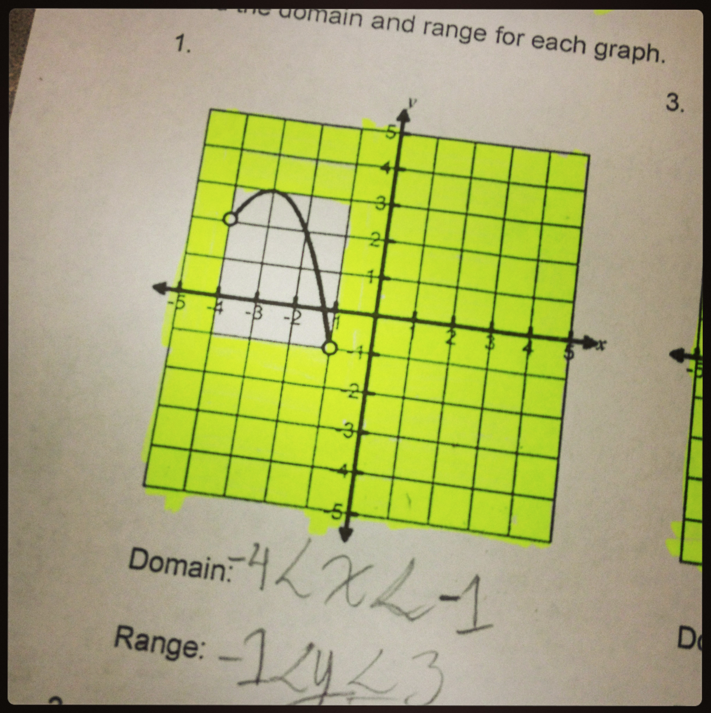
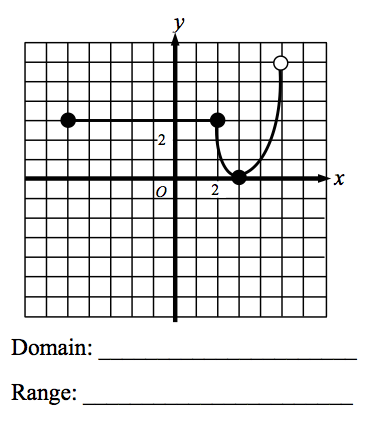
I learned a nifty domain and range trick from an online workshop about using stickie notes to help “frame” the graph of a function.  The idea is to use 4 notes so that all you see is the graph, which can make identifying the domain and range a little easier.

Screen Shot 2013-05-06 at 7.03.02 PM


Screen Shot 2013-05-06 at 7.11.14 PM

Slide a stickie note from left to right until you “bump into” the function, and stick it on the paper.  Likewise, slide a stickie from right to left, top to bottom, and bottom to top, until the graph is framed, like so:

Now, students can see that the domain can be expressed as -5 ≤ x < 5 and the range can be expressed as 0 ≤ y < 6 (It’s easier to see on a graph whose axes are numbered a little better, but you get the idea if you peek at the original graph above).

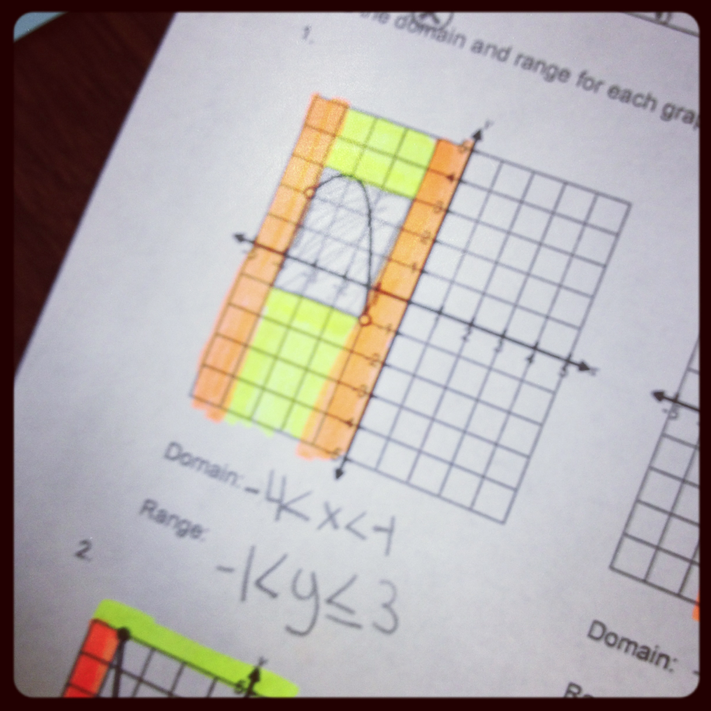
I like the strategy a lot –  it’s tough for kids to visualize domain and range with the plethora of unusual and squiggly graphs out there.  Since I’m guessing most of my students won’t walk into the EOC with Post-Its in their pockets, I like using highlighters to color-code things a bit.  Here are several work samples from students today showing their different interpretations of the strategy.  I like how they took the stickie strategy and made it more practical based on the writing tools they *will* have when taking the Algebra 1 EOC next week.

Screen Shot 2013-05-06 at 7.21.28 PMScreen Shot 2013-05-06 at 7.22.23 PMScreen Shot 2013-05-06 at 7.21.49 PM

Update!

Check out this idea I found on Pinterest – another nifty way to help students visualize domain and range:

Posted in Algebra 1 | Tagged , , , , | 6 Comments

Math PSAs: A Mental Break from Testing

After 4 hours of testing, I decided to provide my afternoon math classes with an opportunity to decompress.  Our mental brain-break took a detour from the scope-and-sequence toward an impromptu mini-project:  Creating a “Math PSA”.

I suggested several topics to students as options.  My ideas came from a few of my own personal math pet peeves.

First – the Facebook problem.  Every time I see one of these, I can’t help but peek at the answers.  Every lesson ever taught using Order of Operations seems to have been done in vain.  So, I suggested that students create a PSA teaching the world the correct order of operations using problems like these.

Screen Shot 2013-04-14 at 10.01.43 AMScreen Shot 2013-04-14 at 10.05.42 AM


Another option was to find common math errors in advertisements, such as these, and create a PSA explaining proper usage of decimal points, dollar signs and cent signs.

Screen Shot 2013-04-14 at 10.07.01 AMScreen Shot 2013-04-14 at 10.06.41 AM


Screen Shot 2013-05-04 at 1.02.13 PM

I also showed this example of a math PSA to give students a sample to consider.  With iPads in hand, students got into groups and began writing scripts and planning their scenes.  I did not suggest nor require any specific apps to be used.  Most students opted to create videos.  Here are a few samples for your enjoyment and mine.


Slope … If Only I’d Known!

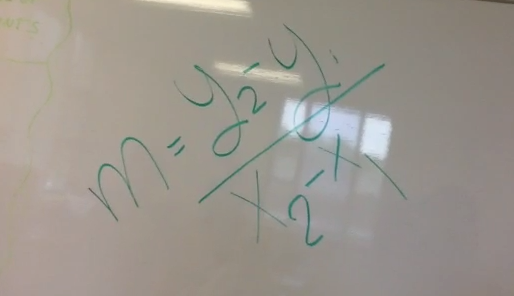
I think it’s fair to say, after watching this video, none of the students in this class will ever forget that a vertical line has a slope that’s undefined.  Especially the wall-runner 😉

Screen Shot 2013-05-04 at 1.07.17 PM


People, We’re Serious – It’s GEMDAS Everyone.

This group also went on to create a second video, explaining the correct Order of Operations.  Here’s the dramatic intro:

Screen Shot 2013-05-04 at 1.14.13 PM


Math Must Be Interactive!

Enjoy the silliness, but hear the message loudly – students are sharing insight about how to make mathematics class enjoyable for them!  A request for making math “interactive” and sharing “jokes” is conveyed here.  Kids want to be involved in learning mathematics, and they want a teacher with personality – great tips guys.

Screen Shot 2013-05-04 at 1.09.15 PM


And one group’s Pic Collage PSA:

Perhaps the original plan was to look for “fractions” as indicated by the title… even so, the poster shown here doesn’t do justice to the dialogue that occurred while this group of students surfed the web, discussing math oops after oops.

PicCollage


Posted in Algebra 1, Pre-Algebra | Tagged , , , , , | Leave a comment

Time Travel

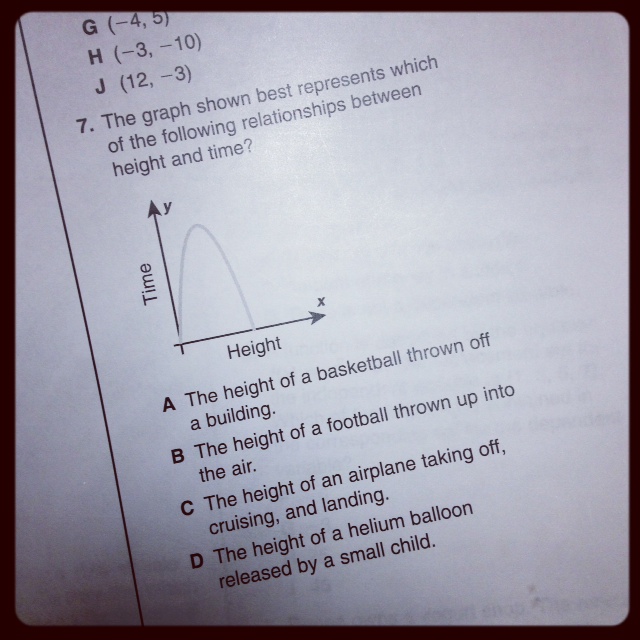
My algebra students have been reviewing for their Algebra End-of-Course exam, and encountered an interesting problem today.  It was the very LAST problem in a problem set, and we discovered it at the end of the period!

Rats! Who can I share this problem with?

Yep – I can always count on Twitter for a little fun. 😉

photo 


I plan to share this post with my students to continue the conversation!

Posted in Algebra 1, Pre-Algebra | Tagged , , , | Leave a comment

Nearpod (Free) Downloads – New Homework Feature Too!

Thanks to my Twitter-bud @RafranzDavis, I just realized Nearpod published another of my Nearpod presentations on their “store”!  And… thanks to the Nearpod Authors program, there’s a growing library of classroom-ready Nearpod presentations on lots of topics, free for the downloading!

Please check out my latest, “Solving Radical Equations“!

image

Later this week, I look forward to presenting the “Classifying Polynomials” NPP to my students by using the new “homework” feature on Nearpod!  I’ll be at a meeting, but my students will still be able to experience the lesson without me!

With the new “homework” feature, students are given a unique Nearpod PIN as in the past… yet this time, rather than waiting for Screen Shot 2013-04-30 at 9.59.48 PMme to control the flow of the NPP, students will *finally* have that swiping control they crave.  Interactive features within the NPP are fully functioning for students, and my hope (since I am brand new at this feature too) is that I’ll be able to login to the teacher side to view all of their data!  Great feature to use with a substitute when the teacher can’t be there, and even better for students to review after a lesson at their own pace!

Photo Skitch DocumentNearpod, once again, you ROCK!


Posted in Algebra 1, Pre-Algebra | Tagged , , , , , | 2 Comments

The Blame Game

I can’t say enough about how having iPads has impacted formative assessment in my classroom this year.  (Check out any one of these formative assessment posts for details).  Students love the instant feedback that apps like Nearpod, Socrative, and ThatQuiz provide.  However, students often change their tune when iPads are used for assessing something that is *GASP* graded.

UnknownEarlier this year, I could agree with my students when Socrative was used for graded assessments.  It IS very easy to accidentally press the wrong answer choice on a touch-sensitive iPad screen.  Though I asked students to be careful and intentional about selecting their answer choices, I didn’t like the anxiety it caused them to have no recourse if they made a mistake.

Aviary thatquiz-org Picture 1So, I investigated other options and have been using ThatQuiz.org as a replacement.  ThatQuiz allows students to change their answers, and navigate through questions as much as they’d like.  When creating the quizzes, if math syntax becomes too complex to type, I’m able to upload images in the question prompts themselves (a feature I understand has now been added to Socrative too). Students have ample opportunity to review and revise answer choices, and must very intentionally submit their answers to me.

You would think students would be showering me with thanks for providing such a user-friendly platform for assessments.  You would be wrong.

Screen Shot 2013-04-21 at 12.27.12 PMInstead, I find students blaming the iPad for their mistakes.  I have heard comments about preferring paper to the iPad.  The ironic thing about this recent complaint is that it was made specifically in reference to a quiz whose questions were actually on paper, and the iPad was simply used as an answer-entry tool.

What’s somewhat awesome for dispelling this “blame game” is the data provided by ThatQuiz.  I can select a student’s score, see the correct answers, and see the answers the students chose.  100% of the time, the wrong answers have nothing to do with the iPad and everything to do with a math misunderstanding.  While I like being able to pull students aside and show them the undeniable truth that such data provides, it seems it will take some time to stop blaming the iPad, start owning up to math mistakes, and start being more proactive about preventing these errors.

I also find myself reminding students that, just because a quiz is being taken on the iPad does NOT imply that it’s a “mental math” quiz.  I provide scrap paper for those who need some.  If I don’t do this, I notice kids will just sit there staring at the iPad screen, trying to do math in their heads that was never meant for that!  Perhaps this is just another part of the iPad learning-curve – combining paper-pencil and the iPad successfully in an assessment experience…?

Anyone else experiencing the “blame game”?

Posted in Algebra 1, Pre-Algebra | Tagged , , , , | 2 Comments

A Big Thank-You Edutech For Teachers!

A big thanks to Jamie Forshey for inviting me to be a guest blogger!  Check out Jamie’s blog, which is packed with great technology integration ideas!


Posted in Algebra 1, Pre-Algebra | Tagged , | 2 Comments

How do you study for math? You DO math.

Actually “doing” math is a highly effective studying strategy… who knew?  😉

Kind of reminds me of an epiphany one of my former 7th grade students had years ago.  The conversation went like this:

Him:  Mrs. Yenca!  I finally figured out the secret to doing well in your class!”

Me:  Really?”

Him: YES!!”

Me:  What’s the secret?”

Him (serious as a heart attack): Pay attention!”

We are roughly a month away from the STAAR Algebra 1 E.O.C. exam, so I hope my students have been paying attention, and have bought into my mantra:

Me: How do you study for math?”

Them, in unison: You DO MATH!

Here is a ThingLink I created to facilitate the “DOING” of math.  It would be great to add other resources that are printable or iPad-friendly.  Suggestions?

A fun aside… I encountered this doozy in a problem set from the Algebra textbook my students and I currently (rarely) use, and Tweeted my amusement…

…to be met with pure poetry, over which I am still giggling as I type (you must click the link to Christopher’s wp blog to truly appreciate the poetry aspect):

Posted in Algebra 1 | Tagged , , , , | 2 Comments

Just Because You CAN Annotate It, Doesn’t Mean You Should

IMG_0533This annotating message is one I have heard loudly and clearly from my math students this year.

The 2012-2013 school year has been our first year with 1:1 iPads.  As a matter of fact, as of this past week, every student K – 12 in our district now has an iPad!  However, before we pursue pure paperlessness (is that even a word?) I must say that mathematics students are still pretty passionate about having at least SOME paper.

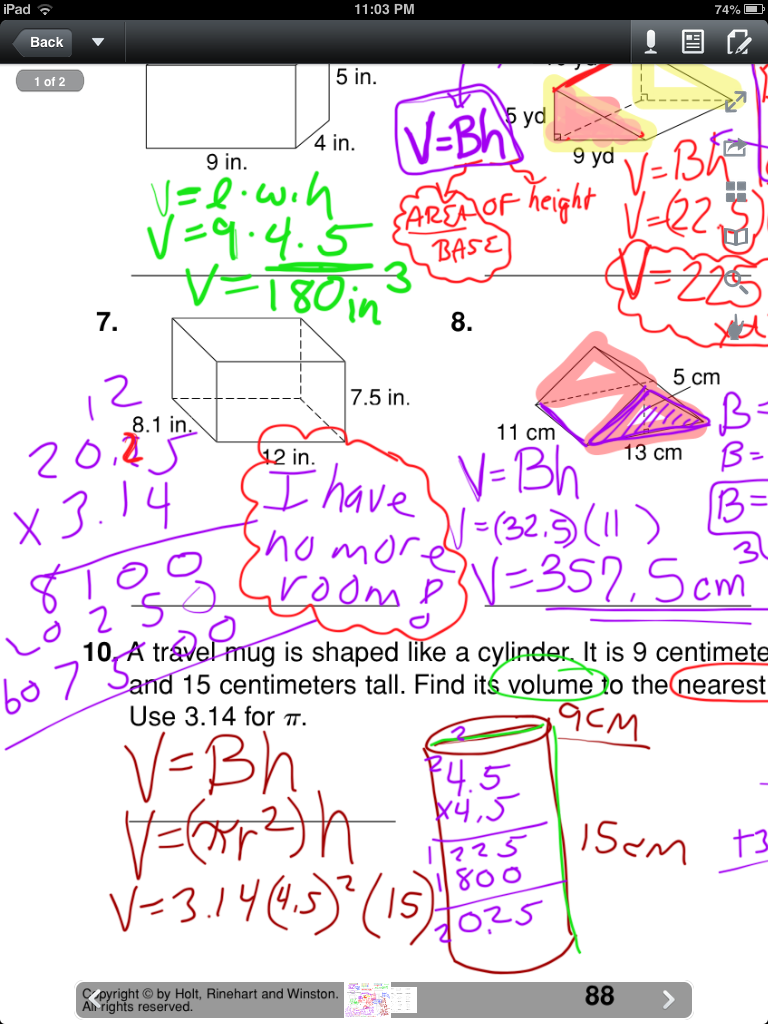
I have never made it an iPad goal to go paperless because my students still favor paper and pencil for most mathematics.  I have to agree with them for some writing-intensive topics, such as solving multi-step equations.  I asked my students today if I should have any “teacher-guilt” that I am not diving into the paperless workflow realm with their assignments and assessments.  In unison, every class said, “NO!”  If writing on the iPad slows students down, distracts from the objective at hand, or frustrates them, then it’s not being used effectively – and let’s face it, there are LOTS of ways to use an iPad beyond a vehicle for paper substitution (see, for example, my previous posts about revolutionizing assessment or problem solving with iPads).  However, there are instances in my mathematics classroom where annotating PDFs is mathematically favorable.

IMG_0535

1) Graphic Organizers

Any topic for which a graphic organizer is helpful is a great time to annotate.  The ability to zoom in and out of a PDF makes smaller spaces on an organizer easier to write on and easier to see.  Plus, purposeful color-coding beats a greyscale worksheet any day.


2) Quick Intro Activities

Sometimes I just want to make a quick point to my students.  Sure, I could write it on the board or have students copy it down in a notebook, but such menial tasks can detract from an “A-Ha!” that I’m trying to facilitate.  Most of these motivators have been one-page copies in the past.  These aren’t meant to be collected or graded, so sharing a quick PDF gets the point across without the copies.

3) Extra Practice Resources

I like providing students with an abundance of resources, even if I never officially “assign” them.  Giving students extra practice resources (often with answer keys) is a great way to share boatloads of information without killing trees (NO MORE “PACKETS”)!!!  Students that choose to use the extras can do so on the iPad, or by referencing the PDF on the iPad and working the problems on paper.  Or, as many do, they can completely ignore the fact that I just gave them some rockin’ resources and wait until they get a not-so-great test grade to start caring.  But that is an entirely different blog post… 😉

IMG_05394) Topics Requiring Less “Work”

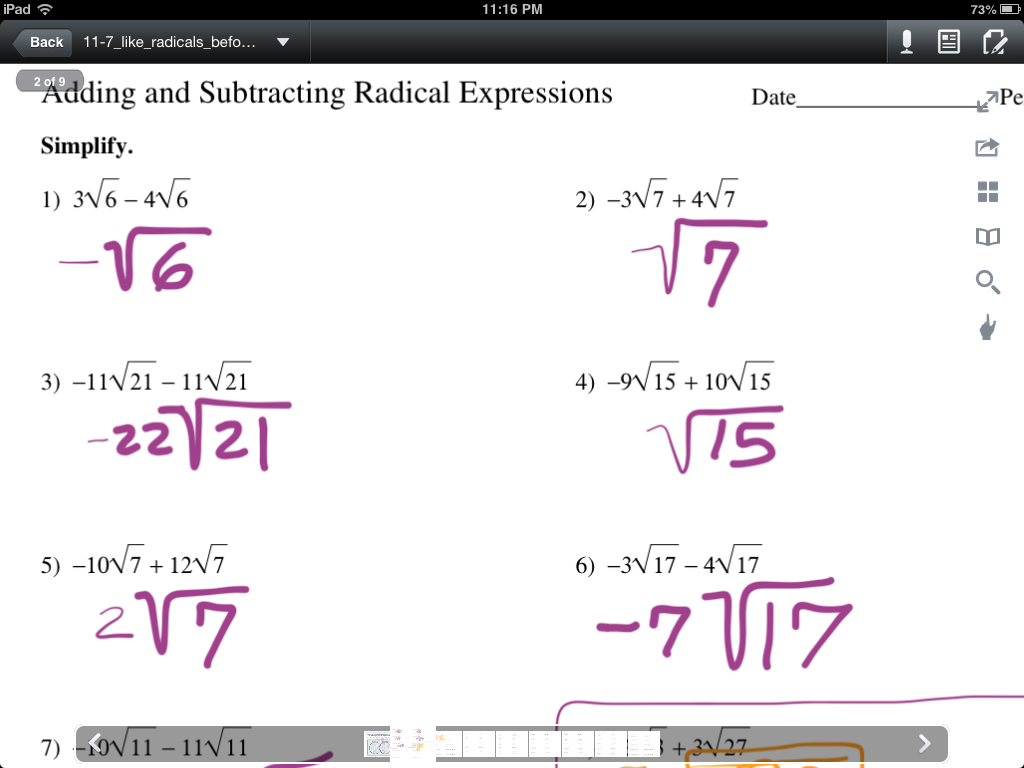
Some math topics have a little less work than others.  Perhaps these are opportunities to help students gain comfort with annotating a math PDF.  For instance, we were adding and subtracting radical expressions today, and students had no complaints about annotating a PDF because the work they showed was minimal.  When problems increased in difficulty, it was appropriate to mentally sort through what “simplest radical form” looked like – written work was at a minimum, and appropriately so.

One last thought – I think writing with a stylus on an iPad is a learned fine-motor skill that takes some practice and patience.  Resistant students (and teachers) may find that, with time and practice, annotating PDFs even for math isn’t SO bad.  Perhaps it’s just another small piece of the iPad learning curve?


Posted in Algebra 1, Pre-Algebra | Tagged , , , | 2 Comments

STAAR “Boot Camp” Standardized Test Prep With iPads!

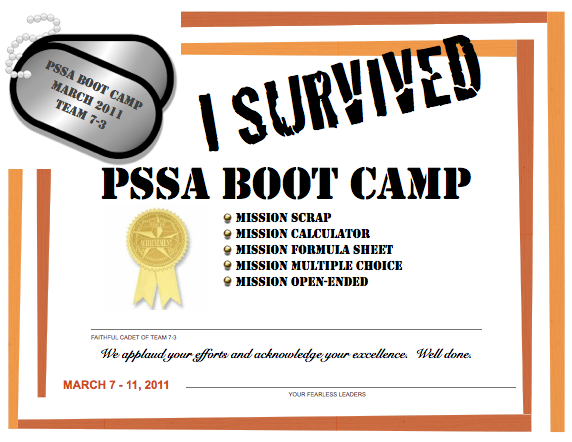
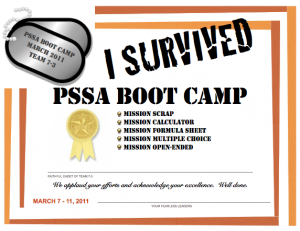
BootCampPSSABefore moving to Austin, I had the pleasure of working with a team of teachers in the Bethlehem Area School District in eastern Pennsylvania that knocked my socks off.  At the time, I was a Middle School Math Coach who spent time co-teaching with this amazing team of teachers on a daily basis (what a blessing!)

During the spring of 2011, we decided to conduct a “PSSA BOOT CAMP” with the 40-some students on the “team” (yes, this was before deep budget cuts that obliterated  the middle school teaming model).  Our “boot camp” consisted of four teachers, each of whom represented a branch of the military, and roughly ten students per military branch (so each teacher closely monitored ten-ish students).  We dressed the part (see photo above) and really hammed it up, referencing students as “cadets” and ourselves as “Sergeants” – and those 7th graders ATE IT UP.  Boot camp lasted for 5 days, and was structured as follows each day (one 45-minute class period per day):

PSSABootCamp

* A physical warm-up (think push-ups or jumping jacks, done to a military tune)

* A “mission” (a test-taking strategy) which we modeled, both “effective” applications, and “ineffective” somewhat humorous non-examples

* Time to do a brief problem set to immediately apply the day’s “mission” (I believe we set a timer for 7 minutes, and monitored our 10 cadets closely)

* Accountability that the mission was accomplished (gathering student work samples to anonymously display to the class via doc cam for discussion)
Screen Shot 2013-03-29 at 9.30.27 AM


At the week’s end, we had an awards ceremony, where every student was presented with a certificate.  During the final week before testing, we focused on test-taking strategies and novelty, and hoped that our “missions” would stick!
 

Screen Shot 2013-03-28 at 1.00.40 PM

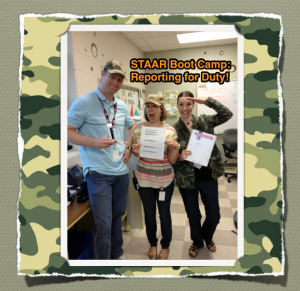
Fast-forward to this past week – I’m teaching in Austin now at Hill Country Middle School, and have the pleasure of working with yet ANOTHER fabulous team of teachers who embraced the “boot camp” idea to prepare 8th graders for STAAR testing.  It is so fun to work with students and staff who are willing to embrace a little role-play and fun!  Our daily agenda has included an objective and a “mission” (strategy).  Since every student has an iPad, we’ve conducted live-data daily homework spot-checks using Socrative as well as individual quizzes using Thatquiz.org.  We used a TAKS Prep workbook as our resource for practice problems.  Our daily agenda has been:

Objective 1: Numbers & Operations problem set (only had half the period to explain that we were beginning “STAAR Boot Camp” so Day 1 was cut short with no test-taking strategy “mission”.  We did, however, play loud military music, wear camo, and march while distributing the TAKS workbooks to set the tone!)

Objective 2: Algebraic Reasoning problem set; Mission “Scrap Paper”

Objective 3: Geometry problem set; Mission “Multiple Choice”

Objective 4: Measurement problem set; Mission “STAAR Chart”

Objective 5: Probability & Statistics problem set; Mission “Key Words”

Objective 6: Math Processes problem set; Mission “Griddables”

Every day started with a Socrative Teacher-Paced (formative) homework quiz.  I would call out a specific problem number, and students sent me their answer choice for the multiple-choice problem at hand.  I connected my iPad to the projector and  kept the “live results” bar graph hidden from view until all students had weighed in.  When I displayed the live results, we crossed our fingers and hoped for that beautiful picture of a unanimous, tall bar above the correct answer choice!  Sometimes we got it… other times, we cringed at the sight of a bar graph nearly evenly split between all four answer choices.  This instant data provided great discussion and brief-reteaching opportunities.

Next came the day’s objective and mission.  We’d ask students each day to first provide examples of the day’s mission, such as multiple choice test-taking strategies, effective uses of scrap paper, defining variables on the STAAR reference chart, and identifying key words in problem statements.  Each of the three of us teachers would then chime in with additional tips and examples of the day’s mission.

Screen Shot 2013-03-29 at 10.16.47 AMThen, a problem set was assigned to the class.  Students were given 5 minutes to work silently and individually, then 5 minutes to continue working with a partner.  Students were also expected to apply the day’s mission specifically as they worked.  After 10 minutes, we brought the class back together and used the Random Name Selector app to select “random reporters” to share problem solutions.
 

Screen Shot 2013-03-29 at 10.51.32 AM

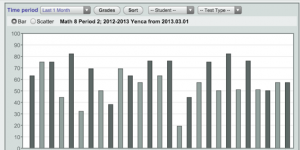
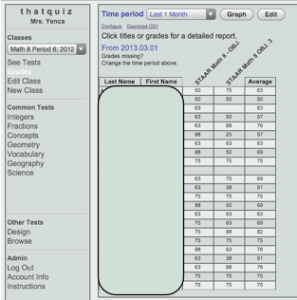
To hold students individually accountable throughout the week, I created brief quizzes using Thatquiz.org.  Every other day, students had a quiz on two objectives (objectives 1 and 2 served as a quiz, objectives 3 and 4 served as the next quiz, and so on).
Screen Shot 2013-03-29 at 10.52.21 AM

As students quizzed individually, we teachers watched their live quiz scores from the teacher login side of thatquiz.  We could click on student scores and see which problems they were missing.  After all students completed the quiz, we were able to briefly address the mistakes we observed behind the scenes on Thatquiz.  Careless errors in arithmetic and reading comprehension were repeat offenders!

The iPad was a tremendous help during Boot Camp!  While we didn’t always like the data we saw… its real-time-ness helped us address concerns and guide our students very specifically and intentionally.  We’re hopeful that the errors that happened during “camp” help students be more careful during STAAR testing next week!

Posted in Algebra 1, Pre-Algebra | Tagged , , , , , , , , , | 1 Comment

You Guessed It… Another ThingLink!

My Algebra students will begin a mini-unit on square-root functions after their exponential functions test on Monday.  Here is the “anchoring activity” they will explore when finished with the test.

I can’t stress enough how helpful it is to have a tool like ThingLink available for those weird class times when some students are finished, others are still working, and a new unit is on the horizon.  Creating ThingLinks helps “pre-teach” so I can do justice to a new lesson the day after a test.  It’s a “mini-flipped” lesson, and I plan to continue creating and utilizing ThingLinks this way.

Added bonus: students return to each ThingLink as an interactive study guide toward the END of each unit, and can cumulatively review all ThingLinks to prepare for end-of-the-year exams.

Here you go – Square-Root Functions 101!

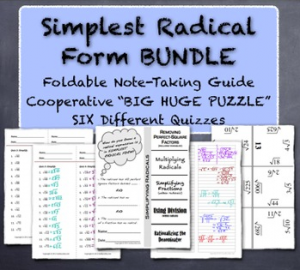
And when your students are ready to tackle “Simplest Radical Form” here are some resources to help them with fluency and to facilitate communication and collaboration!

Simplest Radical Form “Bundle”

Screen Shot 2013-03-26 at 9.00.43 PM


Curious about ways to use ThingLink in the classroom?

Check out this doc for more ideas!

Posted in Algebra 1, Pre-Algebra | Tagged , , , | Leave a comment