
I have the privilege of using the HMH Fuse Algebra I Common Core app with my algebra classes this year. I am only just beginning to learn how to unleash the power behind this app, but even at first glance, my students and I were very impressed. This souped-up interactive textbook app has a lot to offer.
First, it provides a one-stop shop for resources. Rather than sifting through the typical textbook website for extra resources, the FUSE app tutorial videos are embedded in the “book” exactly where and when you need them. The “View in Motion” option is also quite handy for the lesson examples. I have always said I have a hard time using a textbook to teach math because the textbook just “throws up” on students… which is my crass way of saying that the examples are already all worked out for students, and it’s tough to interact with material that’s just splashed in all its completion on the page – a page, I might add, that students typically aren’t allowed to write on. Rather, the “View in Motion” option in the FUSE app pulls the examples from the page with a clever slider option, so students can reveal the steps to the problem at their own pace, processing each step before revealing what’s next. “Check it Out” problems follow each lesson example and give students the opportunity to pause and apply the new skills before moving on. These problems are presented in multiple choice format, but I have my students trained to use the built-in “scratch pad” to hide the answer choices like a window blind. Then, once students use the “scratch pad” to work the problem, they reveal the answer choices and pick the right one. Immediate feedback either affirms or denies the student’s answer choice. Even this feedback goes well beyond, “You’re right!” or “You’re wrong!” Rather, complete correct work is revealed when students make the right answer choice, and if the wrong answer is chosen, guiding questions or suggestions are provided to help students rethink things and try again.
Once a lesson is complete, the app provides a “Guided Practice” problem set, with odd problems’ solutions right there in the app – all a student has to do is touch the problem number for any odd problem, and he or she can see the whole thing completely worked out. Assessments such as those entitled “Ready To Go On?” are sprinkled throughout the chapters to assess student progress along the way. Student responses to such assessments (including what students write on the “scratch pad”) are accessible from the teacher login side of things. A built-in student response “clicker” system is something I have to explore more, and look forward to using with my students (though, I am a little spoiled by Socrative and the amazing data report it provides… so I am not sure how this FUSE app will compare!)
I am one of those teachers who can’t be bound to any one teaching resource to the exclusion of all others, so I can’t say I use this app exclusively, or even every day. However, having such a comprehensive resource in all of my algebra students’ hands makes me ponder how I might moved toward a “flipped” classroom. Students will have a unique opportunity this coming week, learning from this app without having me around as I attend a regional NCTM conference, and they have a substitute teacher and this app to guide their way for several days. We’ll see how it goes!
All in all, students seem to be enjoying this app much more than a traditional textbook – and they are not alone. Read more about other students’ experiences with this app here. See some of the app’s features here.
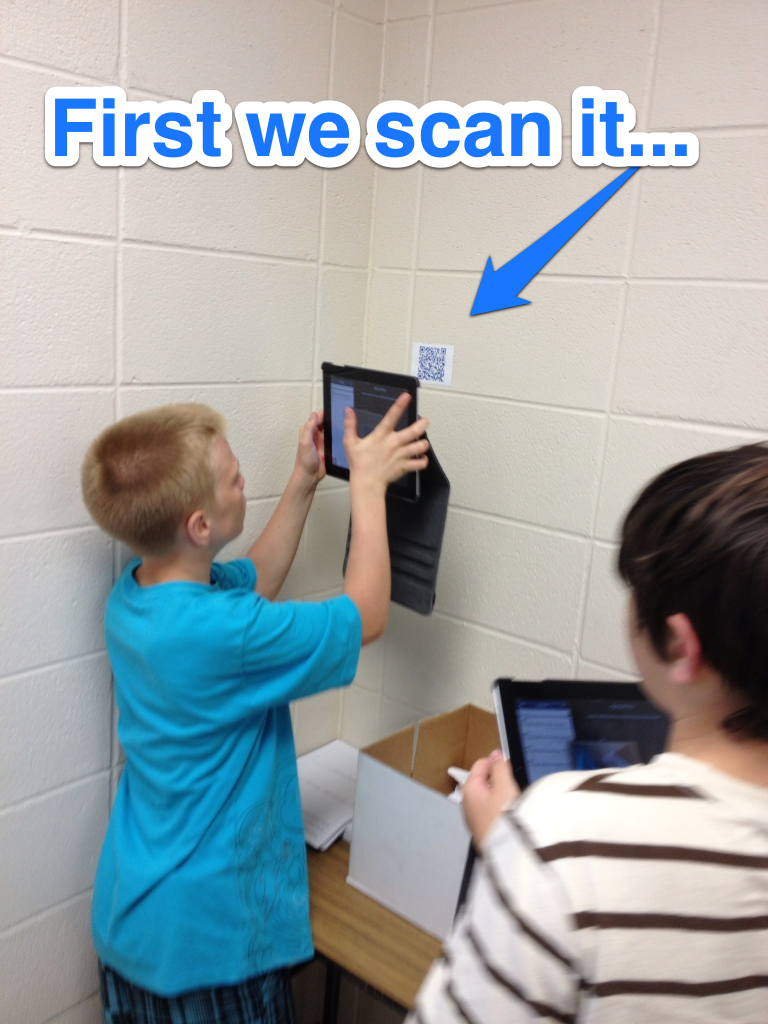


 Then, students wrote out a brief “script” to help decide who was explaining each part of the problem before creating the screen recording. Next, students followed the plan they’d designed to create the recording. Finally, each group showed their “video” to the class. The back of the student handout provided a space for each problem to be solved as students watched one another’s videos, giving every student a tangible study guide as a resource, as well as helping students focus on the mathematics being presented by their peers.